AssetVault Crypto Trading App: Crypto Made
Approachable
- Role & scope
- UX Designer
UI Designer - Project
- Mobile app, crypto & NFT trading
- Timeline
- Dec 2022 – Feb 2023
Overview
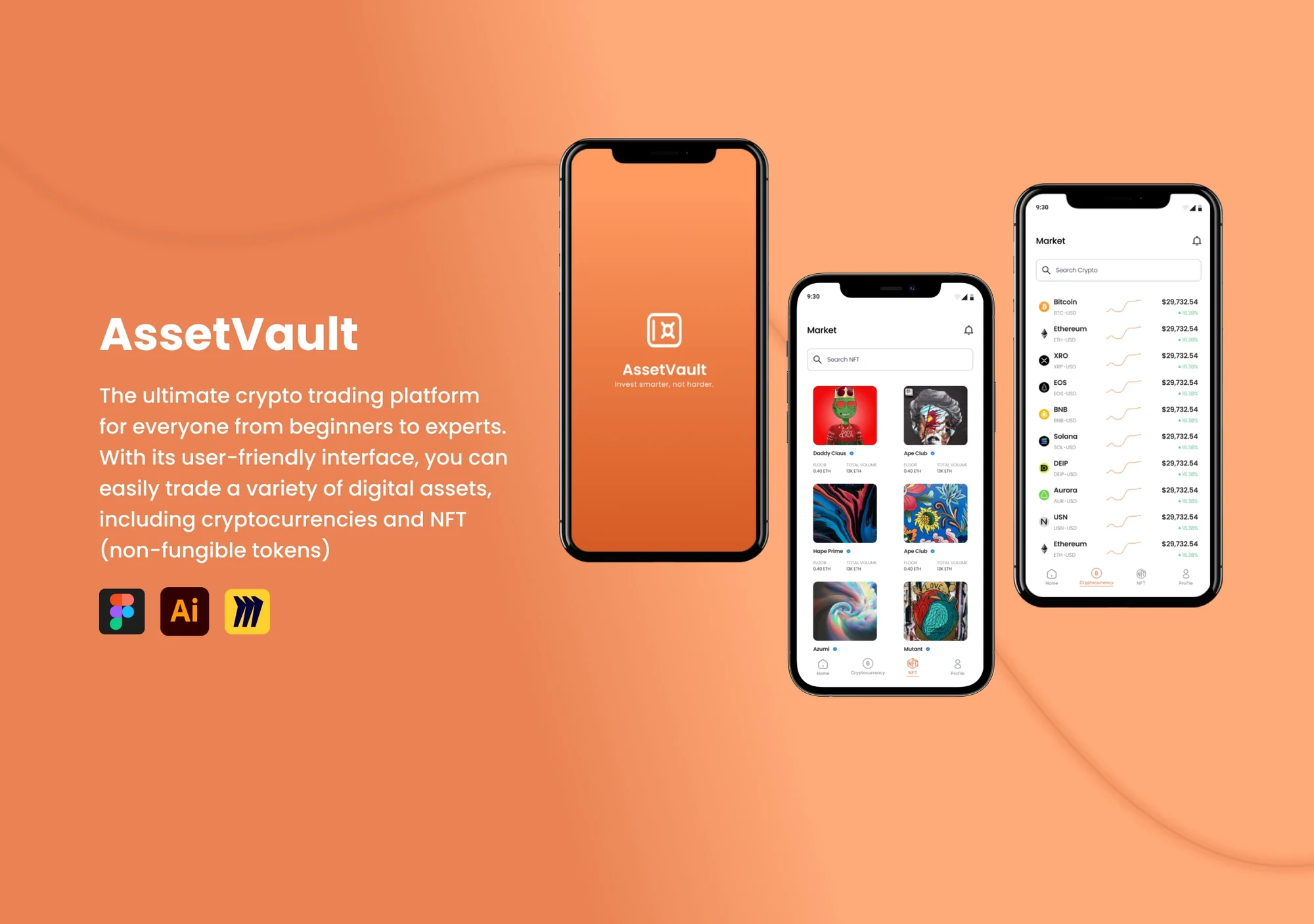
AssetVault is a mobile app for trading crypto and NFTs. It is built for everyone, from people buying their first coin to seasoned investors.
The goal
Design a trading app that beginners understand at a glance and experts still find fast.
Many crypto apps hide simple actions behind complex features. People new to crypto struggle to use them, and many don’t know the difference between an NFT and a cryptocurrency.
A clean, friendly app that keeps crypto and NFTs in clearly separate places, with everyday actions like buy, send, receive and exchange one tap from home.
Process
How the app came together
I handled the UX and UI design, from research through to a clickable prototype. I followed a design thinking process, and testing looped back into ideation whenever something didn’t hold up.
- 01Empathize
- Company state
- Company goal
- Target audience
- Pain points
- Current solutions
- Brand guide
- 02Define
- Persona
- Problem statement
- Contract & deliverables
- Constraints
- 03Ideate
- User flows
- User stories
- Sketches
- 04Prototype
- Low-fidelity wireframes
- High-fidelity screens
- Design system
- 05Test
- Stakeholder feedback
- Thought experiments
- 06Reflect & grow
- What I learned
-
01
Empathize & define
I started by learning how cryptocurrency works and how people use it today. A cryptocurrency is a digital currency secured by encryption, so it acts both as money and as a virtual ledger. That’s a lot to take in for someone new, and most apps assume you already know it.
Persona
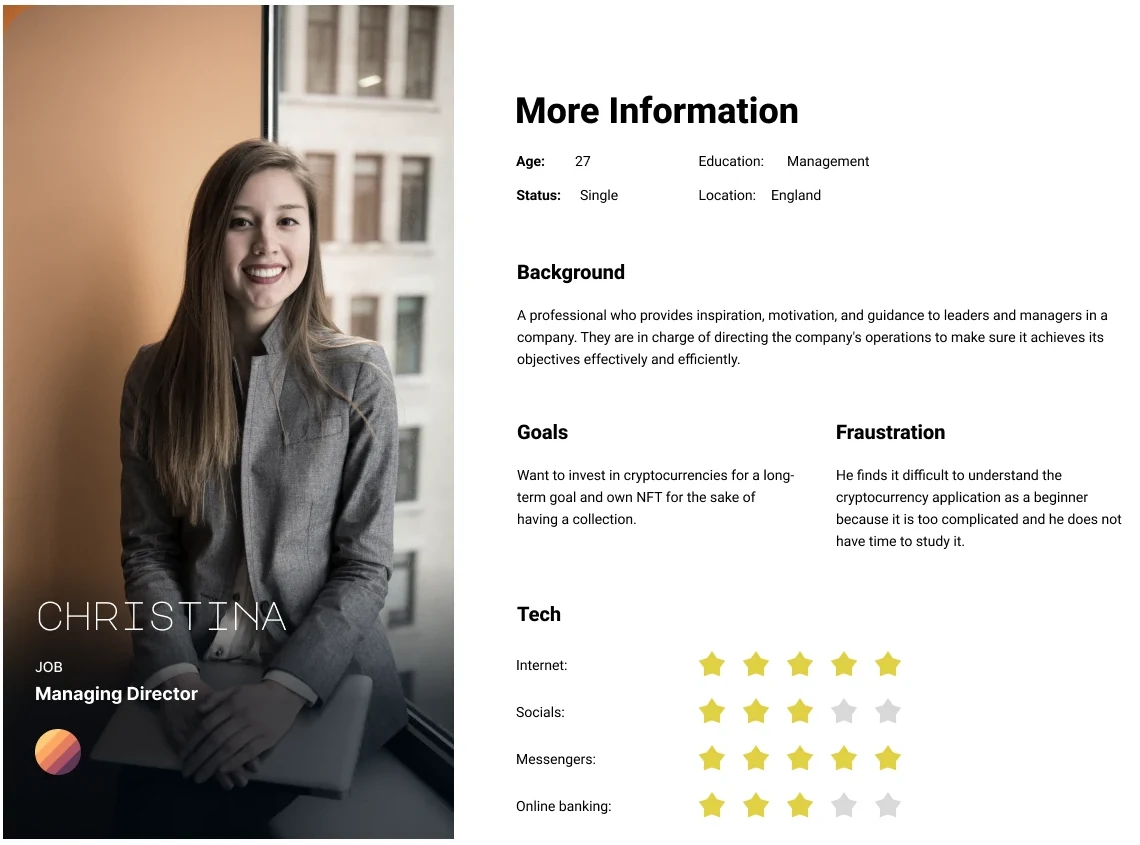
Meet Christina, a busy first-time investor
A 27-year-old managing director in England who wants to invest in crypto for the long term and start an NFT collection. She finds crypto apps too complicated and doesn’t have time to study them.
-
02
Ideate
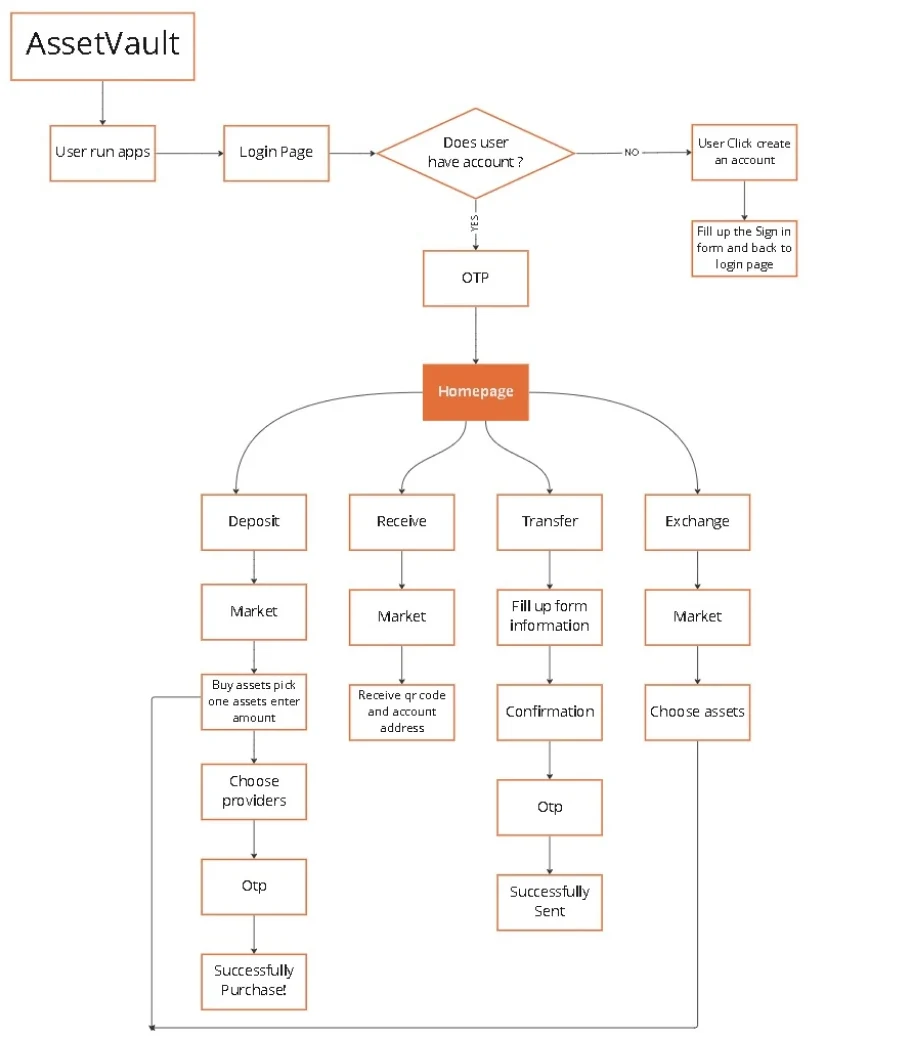
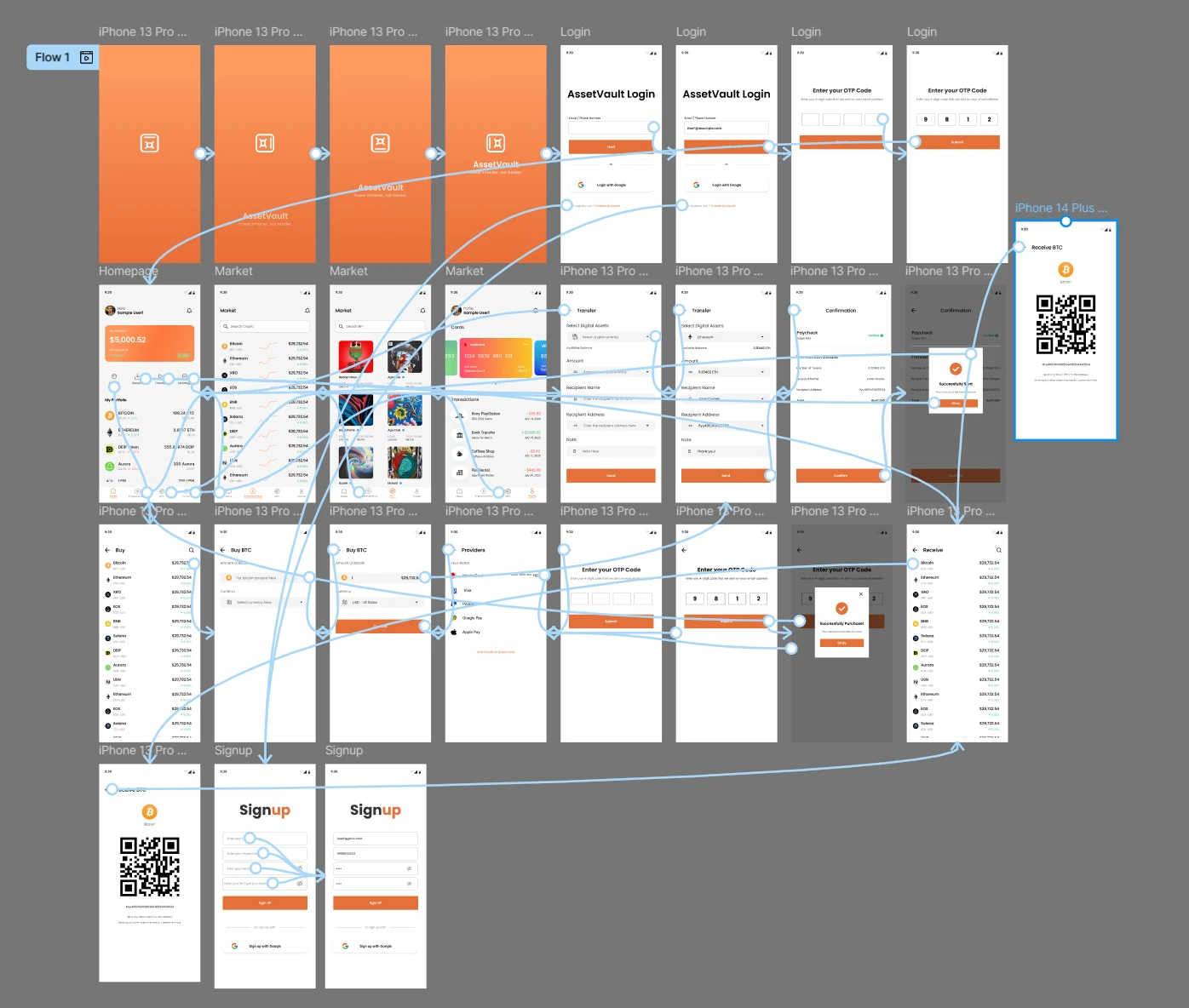
With Christina in mind, I mapped the paths she needs most. Everything starts from one home screen that branches into four clear actions: deposit, receive, transfer and exchange. Login and a one-time code keep her assets secure without extra steps.
User flow
-
03
Prototype
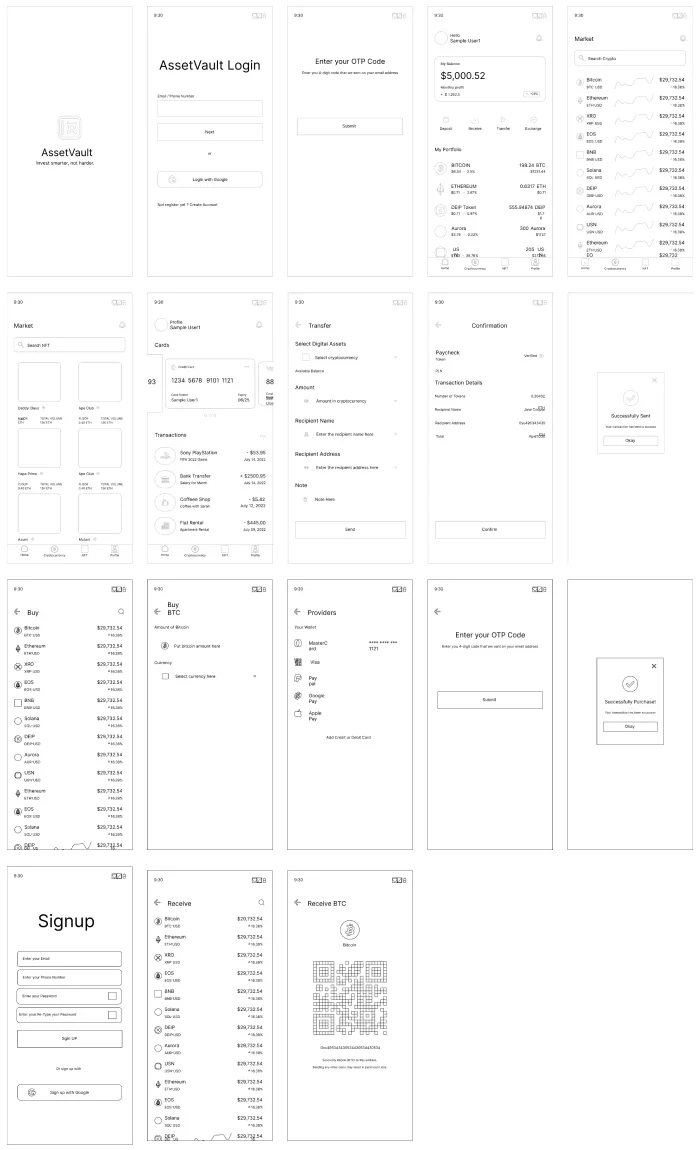
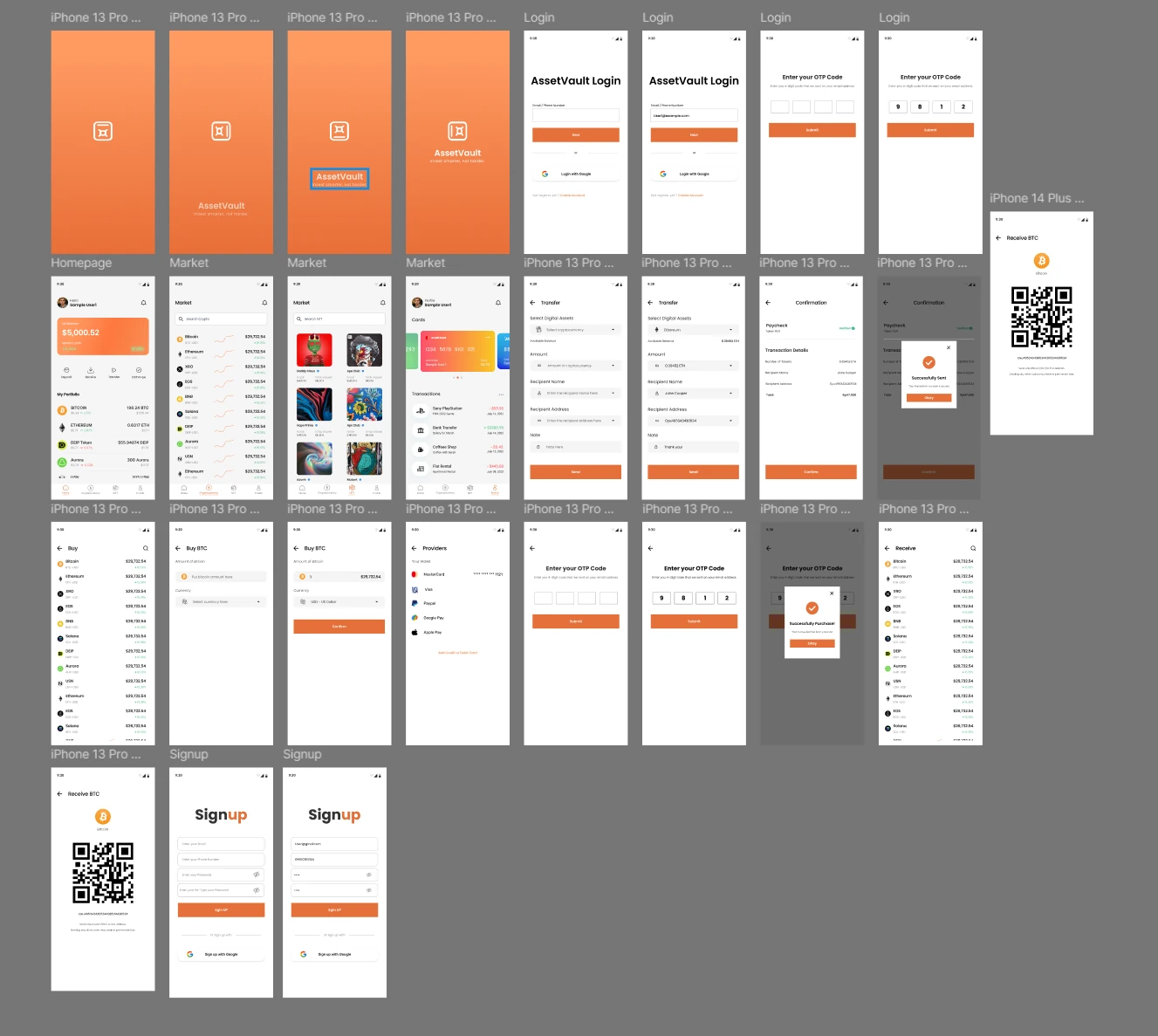
I sketched every screen as a low-fidelity wireframe first, to test the functionality before the look. Once the flows held up, I built the visual design and a clickable prototype in Figma.
Low-fidelity wireframes
Login, one-time code, home, crypto and NFT markets, cards, transfer, buy, providers, receive with QR code and sign up.
Style guide
Warm orange instead of cold finance blue
Most trading apps feel clinical. A warm orange makes AssetVault feel friendly and confident, green shows gains at a glance, and charcoal keeps numbers easy to read. Poppins is round and legible at small sizes, which matters when prices change by the cent.
- Main orange#E47039
- Soft orange#FF9B63
- Charcoal#272729
- Gain green#5FC88F
- Black#000000
Poppins
BoldRegularLightAa Bb Cc Dd Ee Ff Gg Hh Ii Jj Kk 0123456789 $
High-fidelity screens
Prototype
I linked every screen into a working prototype. It let stakeholders try the app before any development, and it surfaced design errors while they were still cheap to fix.
-
04
Test
I walked stakeholders through the prototype and ran thought experiments on the main flows, like buying a coin, sending it and exchanging it. Feedback went straight back into the wireframes before the final screens. You can test it yourself by playing the Figma prototype below.
Click through the live prototype, or open it in Figma
Results & Reflections
AssetVault turns crypto and NFTs into something anyone can pick up. Every core action is one tap from home.
What worked
Separating crypto and NFTs into their own markets, and keeping buy, send, receive and exchange on the home screen, made a complex product feel simple.
What I learned
Designing for beginners makes the product better for experts too. Clear labels, short flows and friendly visuals help everyone move faster.